Traditional Chinese / 繁體中文
Update — 2026-08-20: these translations have landed and are now in the app: Auto Snooze → 持續提醒, Snooze → 稍後提醒. Notification Snooze stays 通知中的推遲選項. Thank you to everyone who reviewed. The page is kept here for reference.
At a glance
Three Snooze-related terms in Due are being revisited in Traditional Chinese. The proposals aim to make the three terms read as clearly distinct from each other, and from Reminder / Repeat (which are already used elsewhere in the app).
| English | Currently | Proposed |
|---|---|---|
| Auto Snooze | 自動小睡 (“auto napping”) | 持續提醒 |
| Snooze | 貪睡 (Settings) · 稍後提醒 (notif button) | 稍後提醒 |
| Notification Snooze | 通知中的推遲選項 | unchanged |
Skim the proposals, then jump to What I’d like to know for the questions — or read on for full context.
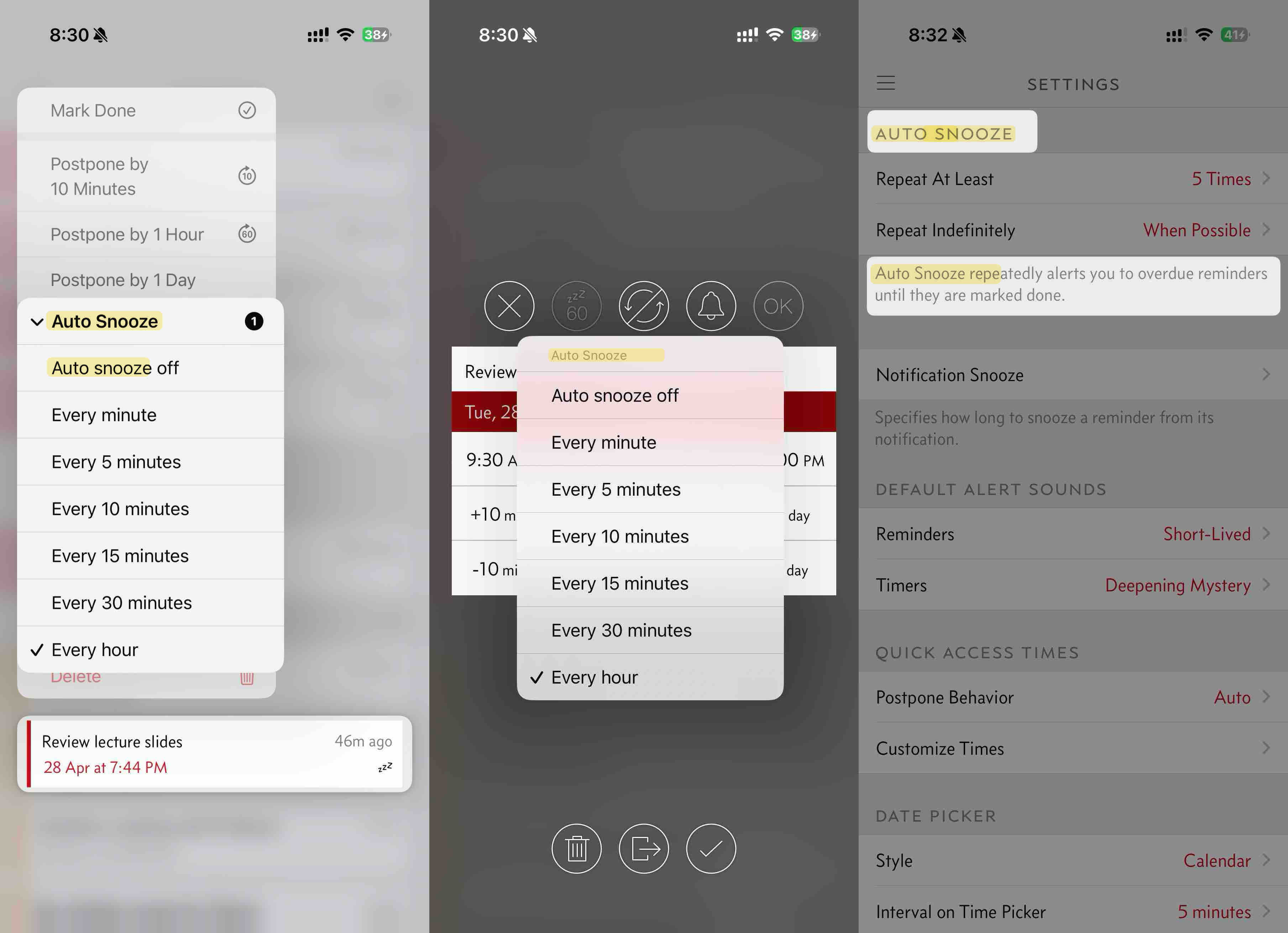
Due is a reminder/timer app that nudges you when a task is due. If you don’t react, Due can keep nudging every few minutes — that’s a feature called Auto Snooze.
Auto Snooze is separate from Repeat (the recurrence schedule, e.g. every Monday at 9 AM). A reminder can have both: “Pay school fees on the last day of every month” with Auto Snooze of 5 minutes. This means the reminder will fire monthly (Repeat), and if you don’t act, Due keeps nudging every 5 minutes (Auto Snooze) until you mark it done.
Due has existing translations for these terms for many years. However I’d like to revisit them to improve on their clarity.
In English, ‘Snooze’ is well understood in the context of an alarm clock where you temporarily stop the alarm and it’ll sound again about 10 minutes later. However, in many other languages, ‘Snooze’ can just mean a nap.
Due also uses the word ‘Snooze’ in three different contexts — Auto Snooze, Snooze, and Notification Snooze. They do different things, so we need three distinct Traditional Chinese words to distinguish them clearly.
Side-by-side
Auto Snooze and Snooze are being revisited in Traditional Chinese. Notification Snooze is unchanged in this round.
| English in Due | Existing Translation | Proposed New Translation | What it does |
|---|---|---|---|
| Auto Snooze | 自動小睡 (“auto napping”) | 持續提醒 | The app keeps reminding you every few minutes until you respond |
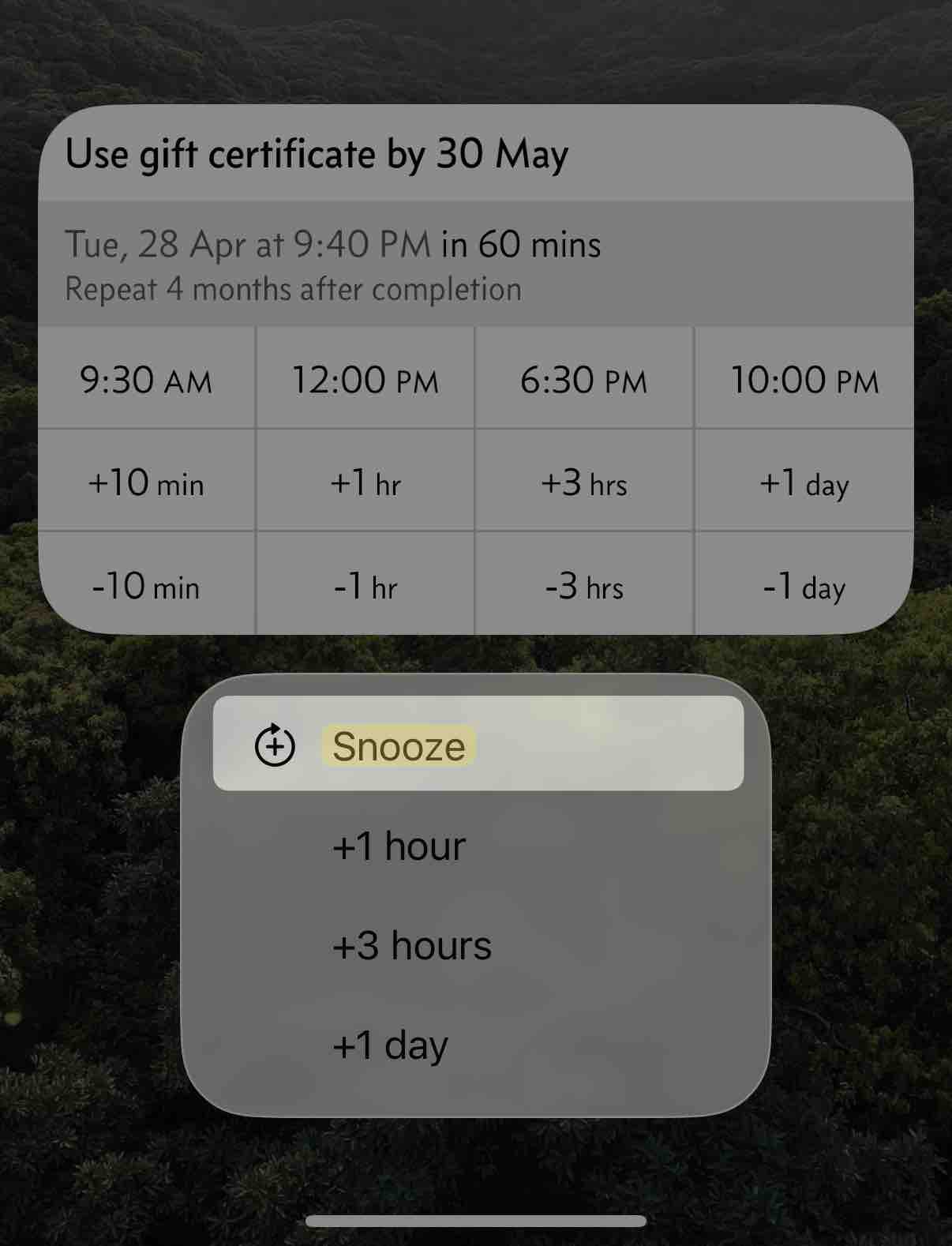
| Snooze | 貪睡 (Settings) · 稍後提醒 (notification button) | 稍後提醒 | The Snooze button in notifications, the Snooze Duration label in Settings → Prominent Alerts, and the editor toolbar’s ‘Snooze: 5 min’ subtitle |
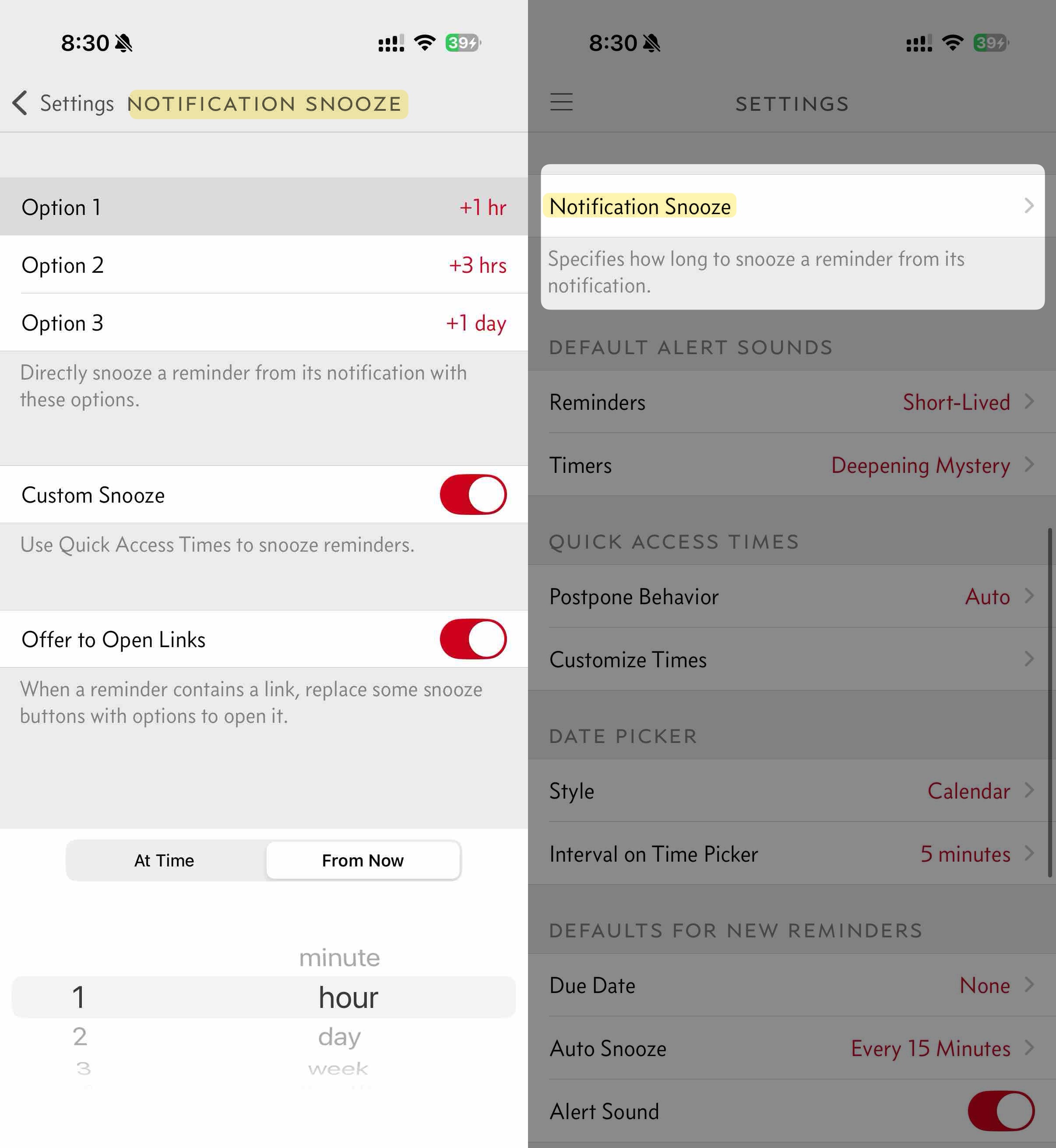
| Notification Snooze | 通知中的推遲選項 | 通知中的推遲選項 (unchanged) | A Settings page where users configure which snooze durations are offered when snoozing a reminder from a notification |
持續 = continuous + 提醒 = remind. 稍後 = later + 提醒 = remind. Both new Snooze terms contain 提醒, and so does Reminder (提醒 / 提醒事項 — see reference table). Does 持續提醒 vs 稍後提醒 vs 提醒(事項) feel clearly different at a glance?
Other Traditional Chinese terms already used in Due (for reference)
These words are already used by the app to refer to various features. They must not be reused for the translations of Auto Snooze or Snooze. I am not planning on changing these terms. They are listed for your reference.
| English in Due | Traditional Chinese in Due | What it refers to |
|---|---|---|
| Reminder | 提醒 / 提醒事項 | The to-do items the user creates |
| Repeat | 重複 | Recurrence schedule (e.g. every Monday at 9 AM) |
Why 稍後提醒 for Snooze? It’s Apple’s term across iOS — Clock, Calendar, Reminders, Sleep. iOS-in-Chinese users will already recognize it from Apple’s own apps. Open to challenge if there’s a strong reason to break from Apple.
Where each appears in the app
-
Auto Snooze
-
Snooze
-
Notification Snooze
What I’d like to know
These three are settled and shipping: 持續提醒 (Auto Snooze) · 稍後提醒 (Snooze) · 通知中的推遲選項 (Notification Snooze) There is nothing to decide here any more, and I would rather not keep changing these words on people. But if one of them reads wrong to you in the app, I would still like to hear it — there is a box below for that.
If you spot something that needs attention, please let me know below.
Before the questions, try your words on the real screens. Type a word and it replaces the English, highlighted, so you can see how it sits in the app.
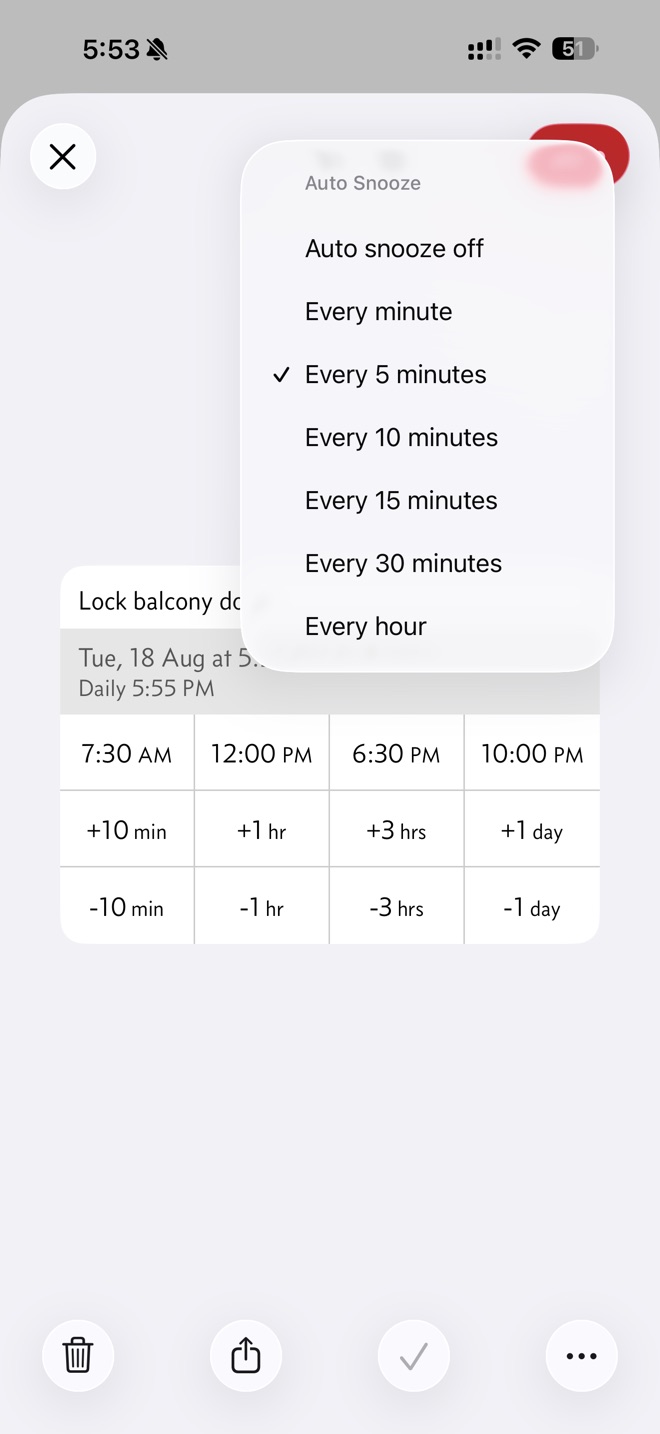
The menu that switches it on
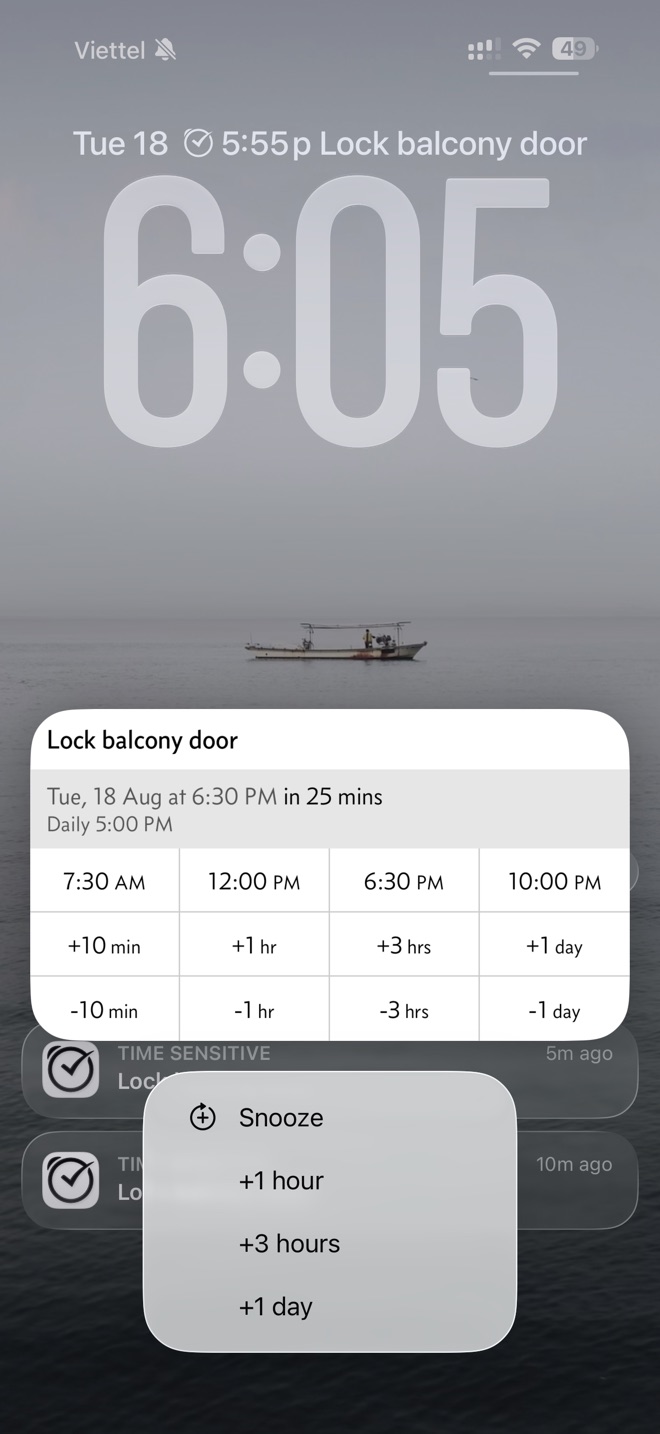
The action on the notification
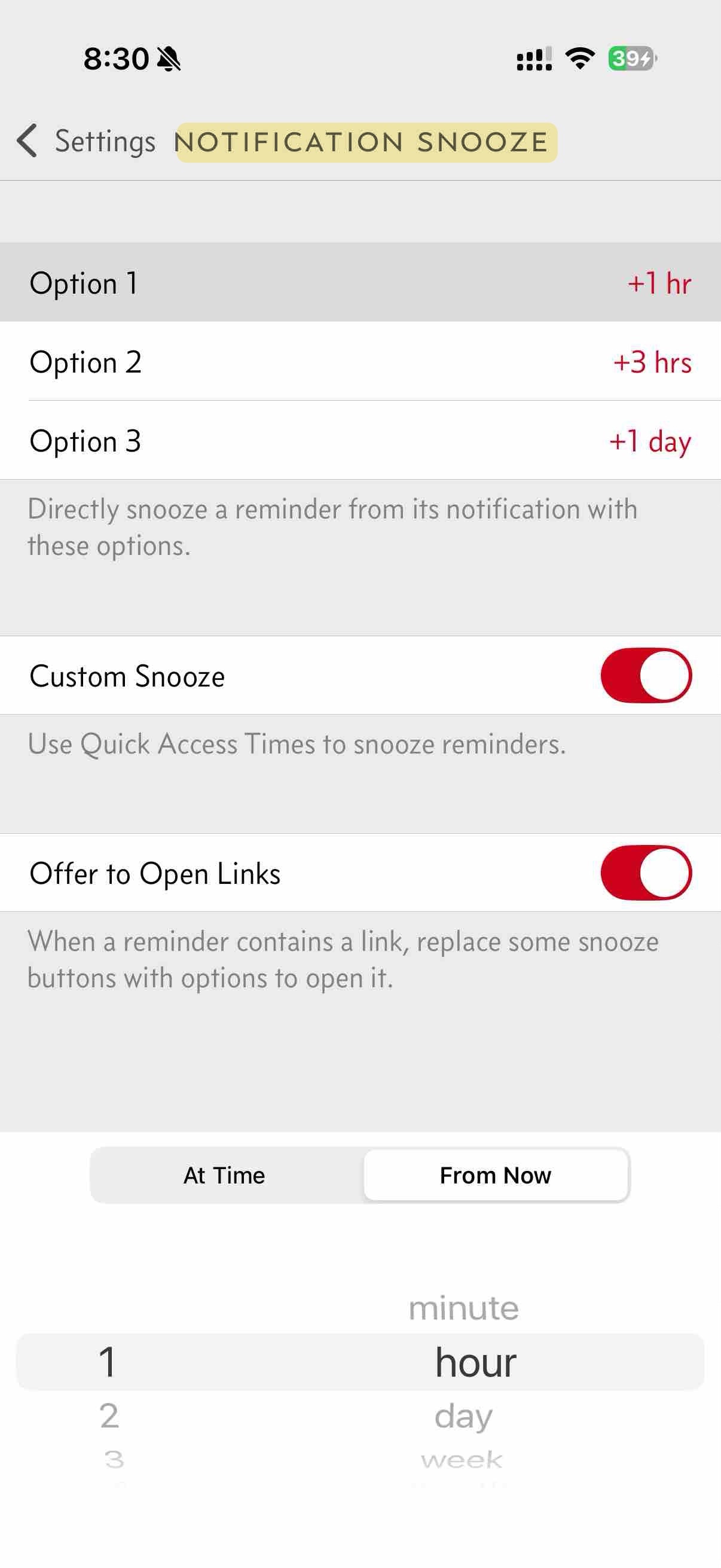
The Settings page title
If a word is right but too long for a button, or you would use something different altogether, this is the place to say so.
Nothing is sent from this page. The button opens your own email app with your answers already written out, so you can read them before sending. If that does not work, use Copy my answers instead and paste them into an email to localization@dueapp.com.
Here’s a quick self-check that’s really useful: try translating the three steps below into Traditional Chinese using the proposed terms. The 5 terms (Reminder, Repeat, Auto Snooze, Snooze, Notification Snooze) should all read as clearly distinct, with no ambiguity between them. If the translation reads cleanly, the proposals are working. If you find yourself reaching for a different word to keep things clear, that’s a useful signal — please share what you reached for instead.
- Create a Reminder for 9 AM. Tap Repeat and choose Daily — Due reminds you at 9 AM every day.
- Turn on Auto Snooze at Every 5 Minutes — Due keeps alerting until you complete the reminder.
- When the reminder fires, you can also Snooze it from the notification (using the Notification Snooze durations from Settings).